Step 7: Footer Tutorial
This is what we are going to create in this step by step tutorial. Click on the image to view the website in new tab.
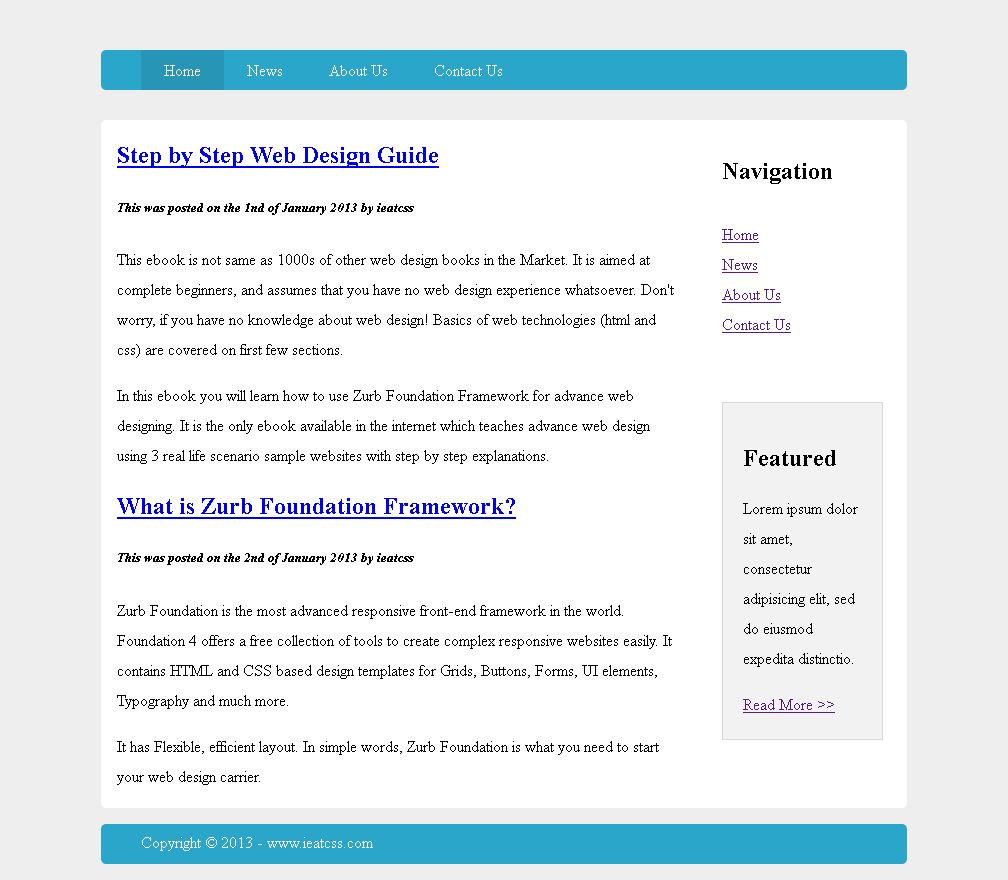
Footer - Step 7.1
In Step 7.1, CSS3 style is applied to the Footer.
The style is provided below with HTML comment explanation.
/* Footer */

/* Styles are mostly same as pageHeader */

.pageFooter {     /* Style applied to footer bar */
	width: 100%;
	height:40px;
	line-height:5px;
	float: left;
	margin-top: 2%;
	margin-bottom: 2%;
	background-color: #2BA6CB;
	border-radius: 5px;
	-moz-border-radius: 5px;
	-webkit-border-radius: 5px;
	color: #FFF;
}

.pageFooter p {  /* Style applied to content inside footer bar */
	width: 90%;
	margin: 2% auto;
}
Footer Step is now complete
Now the website will look like this. Click on the image to view the website in new tab.